 Night Screen - Darker Display
How to make your iPhone dimmer than minimum brightness
You turn brightness all the way down, open a white page, and the screen still feels bright in a dark room. The next setting to try is Reduce White Point. It reduces the intensity of bright colors and works alongside the regular brightness control.
iPhone still too bright on the lowest setting?
- Lower brightness in Control Center.
- Open Settings → Accessibility → Display & Text Size.
- Turn on Reduce White Point and adjust its slider until the screen feels comfortable.
- If you also want warmer colors, open Settings → Display & Brightness → Night Shift.
These Apple settings are free. For details, see Apple’s display accessibility guide and Night Shift guide.
What Midnight adds
Night Screen’s Midnight mode combines minimum brightness, Reduce White Point and Night Shift through an included Apple Shortcut. The app walks you through adding that shortcut, then gives you a reusable mode to activate from the home screen.
The advantage is convenience and guided setup. The underlying display effect comes from Apple’s controls; you can recreate it yourself. Night Screen does not unlock a different screen technology or a stronger version of the same settings.
Set up Midnight: a visual walkthrough
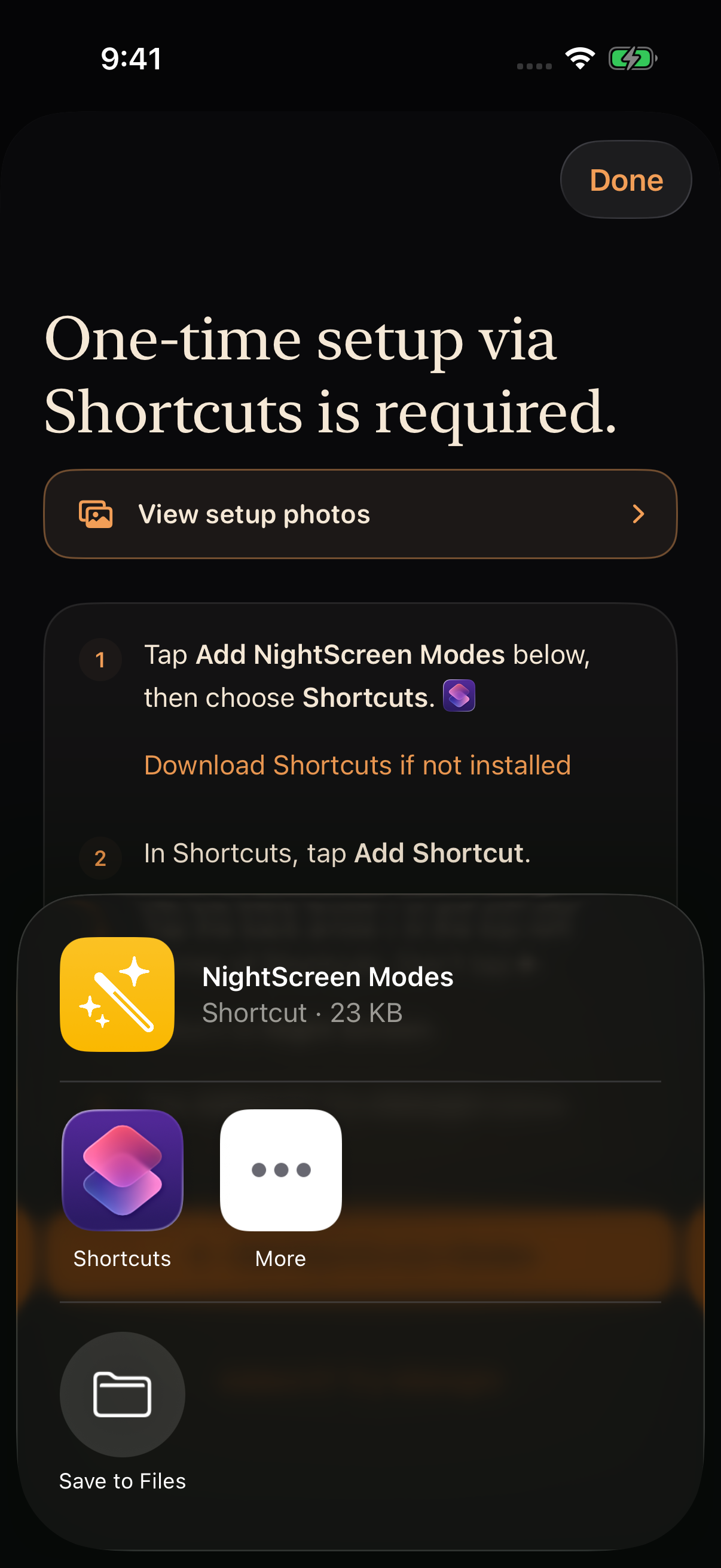
You need iOS or iPadOS 17 or later, Apple’s Shortcuts app, and an active Night Screen trial or subscription. In Night Screen, choose Midnight and open its setup guide, then tap Add NightScreen Modes.
- Choose Shortcuts from the document menu. If it is missing, install Apple’s Shortcuts app using the link in Night Screen’s setup guide.
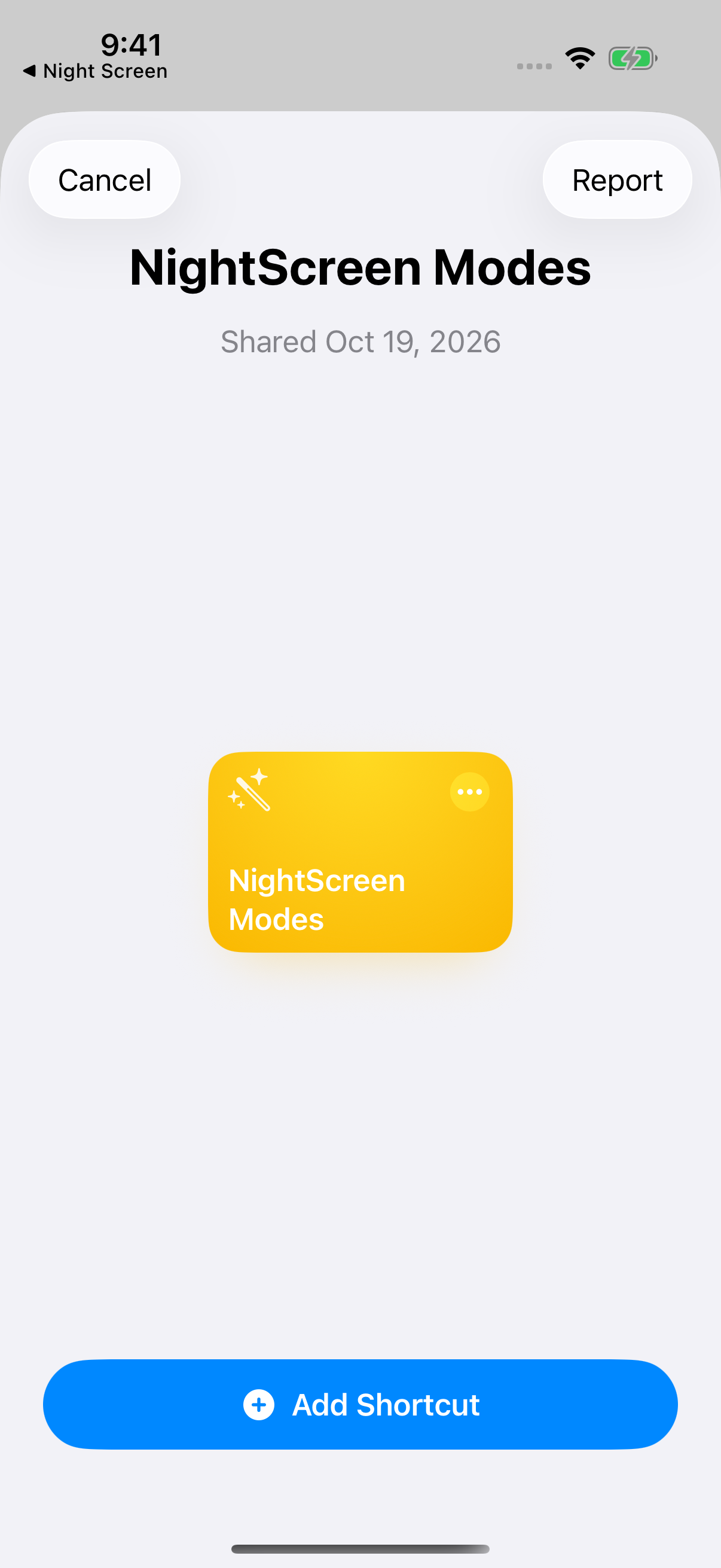
- Tap Add Shortcut in Shortcuts. Keep the name NightScreen Modes.
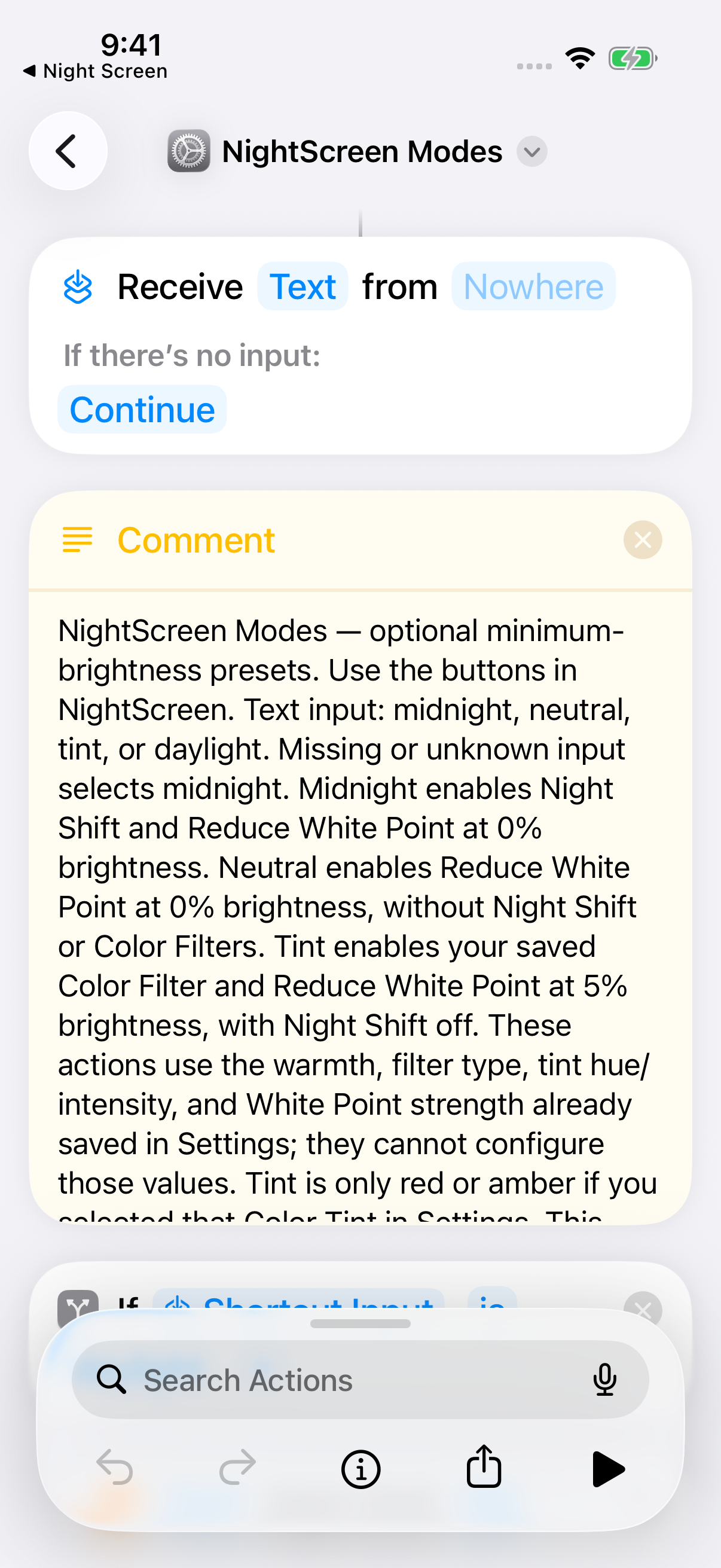
- On iOS 26 or later, use the back arrow at the top left to leave the shortcut editor. On iOS 17–18, tap Done. Return to Night Screen and tap Added it? Try Midnight.
Why did brightness change again?
Auto-Brightness or a later manual adjustment can change brightness after the mode runs. Optional room matching can also adjust it. If you want deeper dimming, check the Reduce White Point strength in Settings. If a mode fails to start, use Set up shortcut again in Night Screen and keep the shortcut’s original name.
Warm or red?
Midnight keeps a warmer version of the usual screen colors. Red Tint uses a saved Color Tint for a more pronounced red appearance, combined with low brightness and Reduce White Point. It needs one additional setup step in Settings. Follow our Red Tint guide if that is the look you prefer.
When the screen is too dark
Raise brightness or lower the Reduce White Point percentage. If you are using Night Screen, Turn off night mode disables the night settings and sets brightness to 40%. It does not restore your previous brightness exactly. Turning the mode off is always free.
Make room for winding down
A dimmer display can feel more comfortable in a dark room, but comfort is personal. Night Screen has not been shown to treat eye strain or improve sleep. The NHLBI recommends a quiet hour before bed and avoiding bright light from screens. Putting the phone away remains part of that routine.